
Choose your REPTIK bracelet type to see how to connect it, step by step.
Connecting your NFC bracelet
The REPTIK bracelet has a built-in NFC chip: no app to install, just bring the bracelet close to your phone.
Turn on NFC
On most recent smartphones (Android and iPhone alike), NFC is on by default. Check your quick settings if nothing happens at the next step.
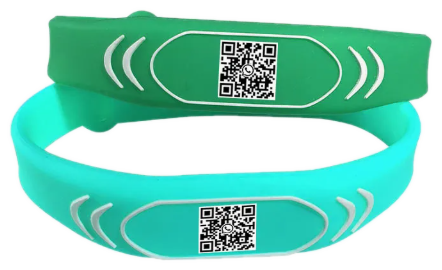
Bring the bracelet close
Hold the back of your phone against the bracelet chip for about a second — no button to press.
Check your risk
Your browser opens automatically on your personal risk page. You can also scan the QR code printed on the bracelet, or type your code in by hand on the home page.
Bluetooth bracelet
Automatic Bluetooth pairing is still being developed and isn't active in this version of the site: the "Bluetooth bracelet" tile will always show "Not paired", whichever bracelet you have. That's expected — no action is needed on your part. The NFC tag remains the main, fully working way to check your risk in the meantime.
Looking for something else? Check out our full help page. Help & support